
Manage tables
Set table aliases, run the live floor, pin an assignment when needed, and keep recovery controls out of game-night flow.
Before you begin
A generated bracket and a director account.
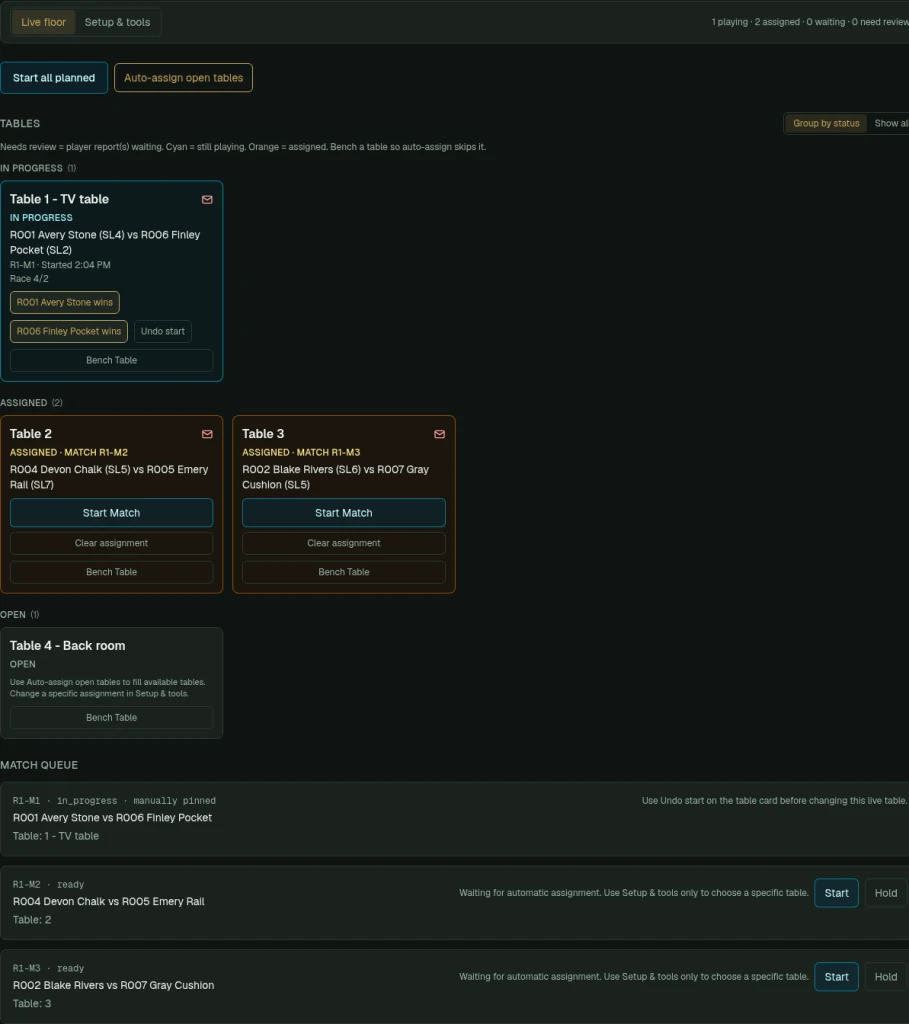
- 1
Set tables and aliases
Settings → Tables sets table numbers or aliases. The alias is displayed wherever that table is assigned.
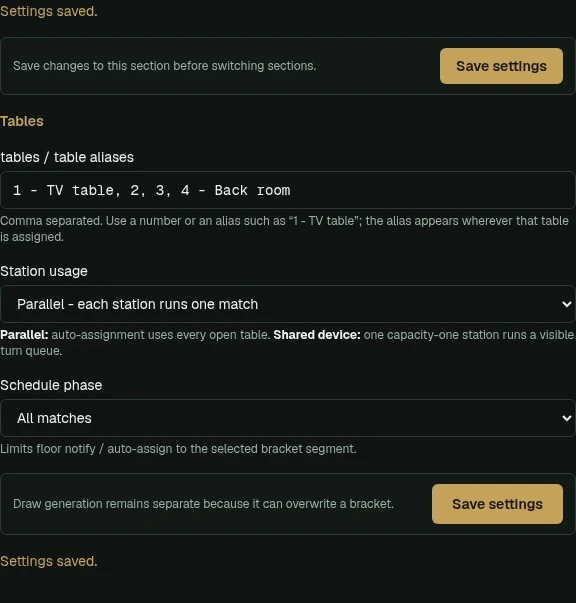
Settings → Tables. Enter table numbers or aliases such as 1 - TV table; the alias appears wherever that table is assigned. - 2
Run the Live floor
Live floor groups tables into In progress, Assigned, Open, and Benched. Use Auto-assign open tables, Start Match, winner buttons, and Undo start as needed.
Tables → Live floor groups tables by status: In progress, Assigned and Open. Start a match, record a winner from the card, or bench a table. - 3
Close or reopen a table
Bench Table closes it so auto-assign skips it. Unbench Table brings it back into rotation.
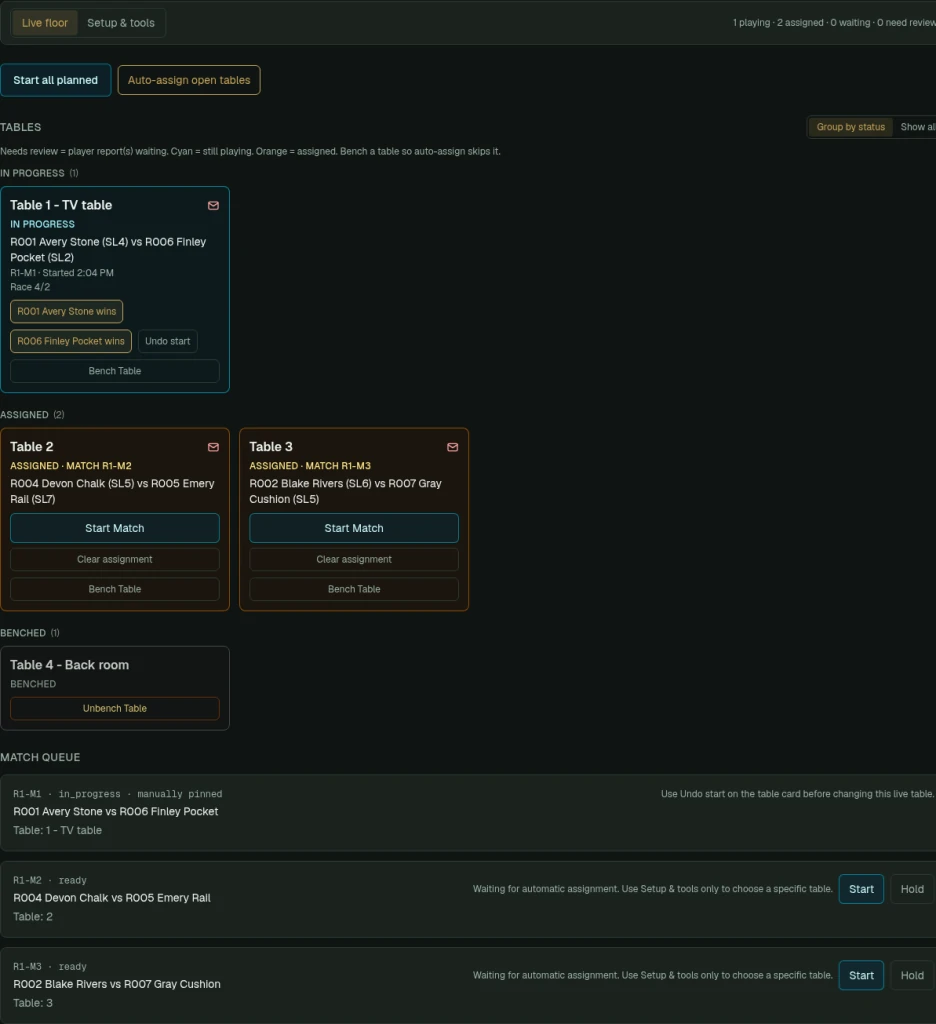
Bench Table takes a table out of rotation so auto-assign skips it. Unbench Table brings it back. - 4
Pin a match to a table
Setup & tools → Manual table assignments (optional): choose a table and Save assignment. It stays pinned until unlocked.
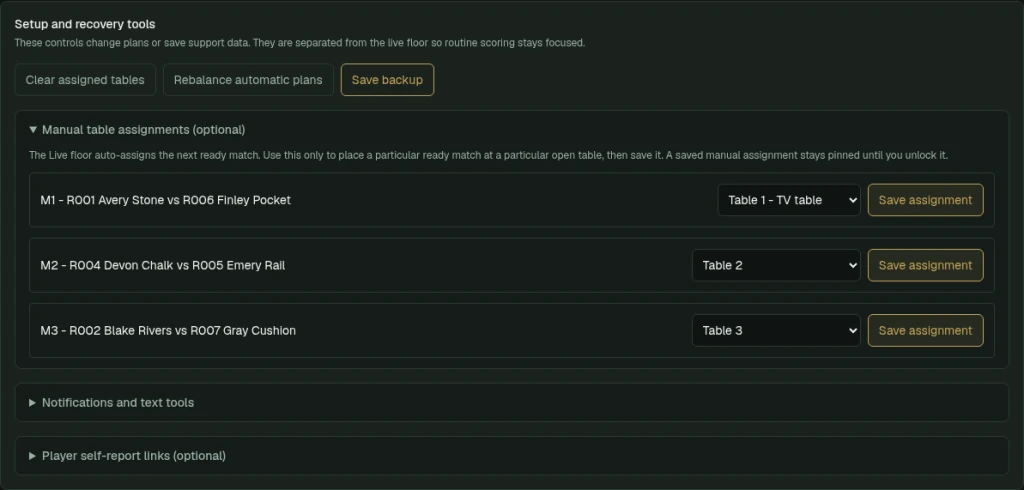
Setup & tools holds less frequent controls. Use Manual table assignments only to pin a match to a specific table. - 5
Use recovery tools carefully
Setup & tools also includes Clear assigned tables, Rebalance automatic plans, and Save backup.
What to check afterward
The floor reflects open, assigned, playing, and benched tables without silently changing event status.