


Choose a bracket format
Understand elimination paths and choose the format and sheet before building the draw.
Before you begin
Know the field size and available playing time. Format and sheet choices are in Settings.
- 1
Set the format
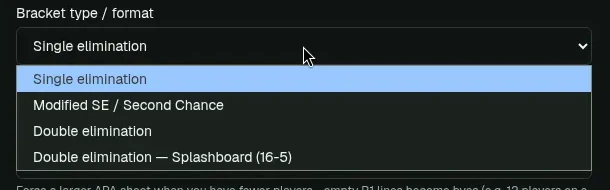
Settings → Format & sheet → Bracket type / format offers Single elimination, Modified SE / Second Chance, Double elimination, Splashboard (16-5), Best Chance Board (16-7), and Grand Prix 112-7 → 8-1.
Settings → Format & sheet: the four bracket formats. - 2
Choose the sheet size
Single elimination and Modified SE support 8, 12, 16, 24, 32, 48, 64, 96, and 128. Double elimination supports 8 through 64. Splashboard and Best Chance Board use 16. Auto picks from entrants; larger forced sheets turn empty Round 1 lines into byes.
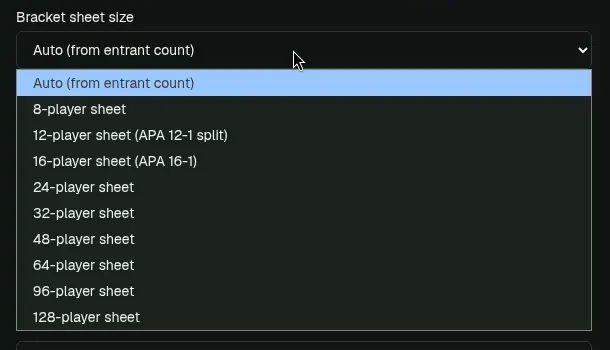
Sheet sizes for single elimination run from 8 to 128 players. Auto picks a sheet from the entrant count. - 3
Single and Modified SE
Single elimination eliminates a player after one loss. Modified SE / Second Chance follows the selected sheet's displayed winner and loser routes; it is not full double elimination.
- 4
Double elimination
Players follow winners and losers paths. Grand Final is match 30. Match 31, If Necessary, stays a BYE placeholder unless the losers-side finalist wins match 30.
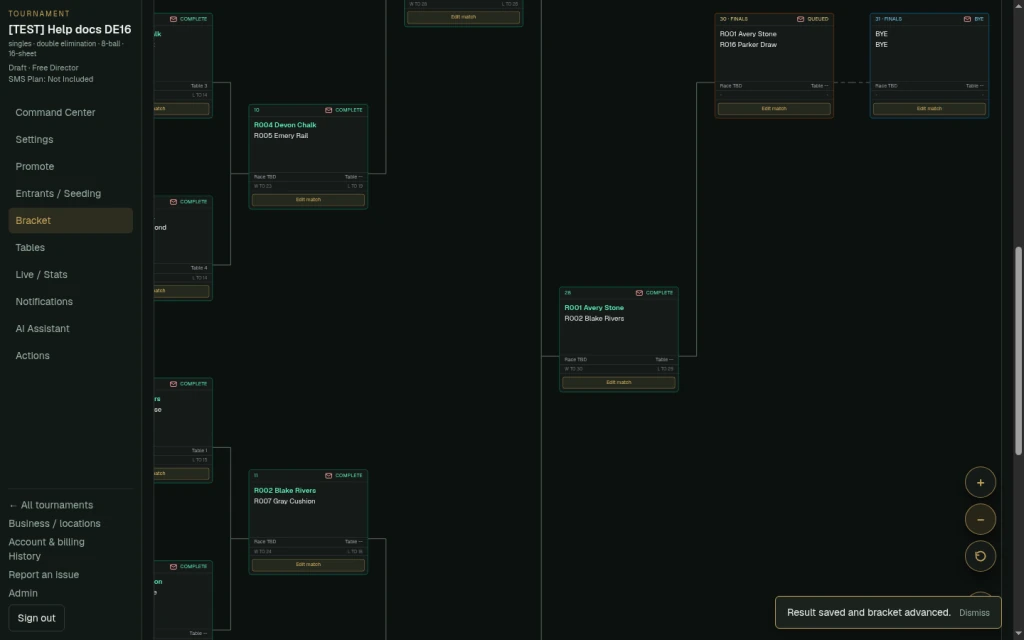
Double elimination: Grand Final match 30 and If Necessary match 31. - 5
Inspect the final
The reset final is visible but should not be treated as a normal ready match.
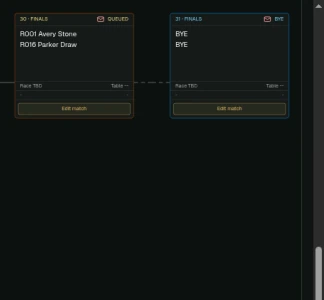
Match 31 is played only if the losers-side finalist wins match 30. - 6
Splashboard (16-5)
Winners of matches 13, 14, 21, 24, and 25 qualify. Losers drop through L TO / L OF routes. A short field places byes on games 1–8.
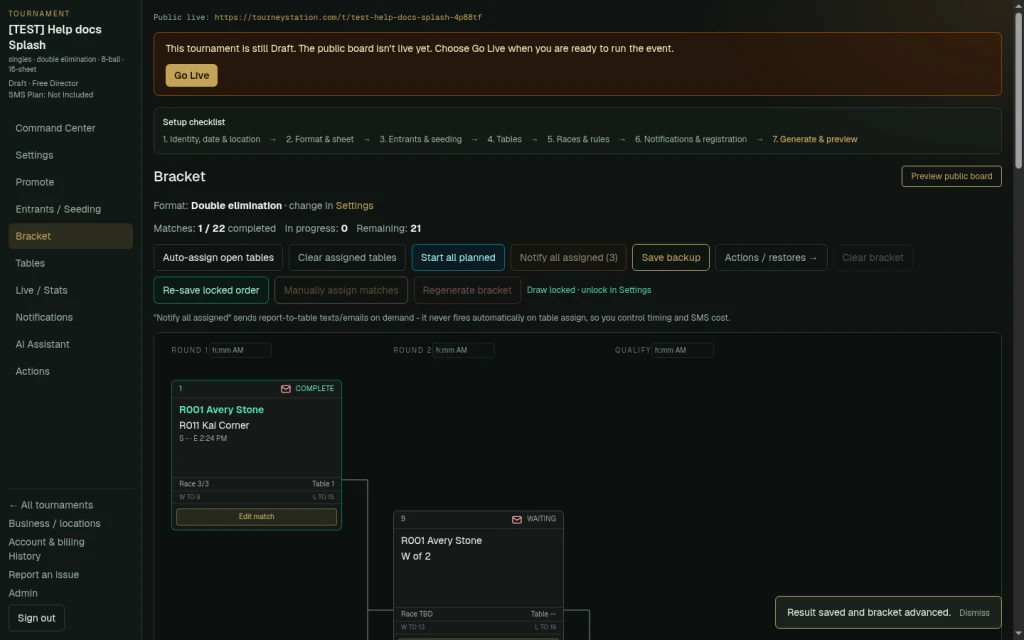
A Splashboard (16-5) event marks where players exit as qualifiers. - 7
Best Chance Board (16-7)
Seed highest skill first using the existing decimal skill entry (for example, 7.33). Winners of 9, 10, 11, 12, 15, 18, and 21 qualify. Short fields use the 16-player bye chart and Skip Round 1 controls. Keep seed order preserves the draw; Seed by skill recalculates it.
- 8
Grand Prix 112-7 → 8-1
Use the printed 112-slot board with 90–112 players. Enter each player's whole-number skill. The draw groups skill levels highest first and uses the sheet's BYE slots inside its seven 16-seat blocks; Skip R1 and standard bye charts do not override them. Game labels run 1–196 after inferring the repeated printed 140: labels 1–140 stay put, the left 140–153 column becomes 141–154, and the later right-side games shift through the final game 196. The seven qualifier winners feed the 8-player final.
- 9
Read qualifier exits
A QUALIFIED label marks a player leaving the bracket as a qualifier.
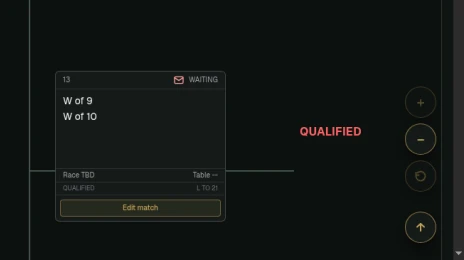
The winner of match 13 qualifies and the loser drops to match 21. - 10
Navigate large sheets
Use zoom controls to work across 96- and 128-player sheets.
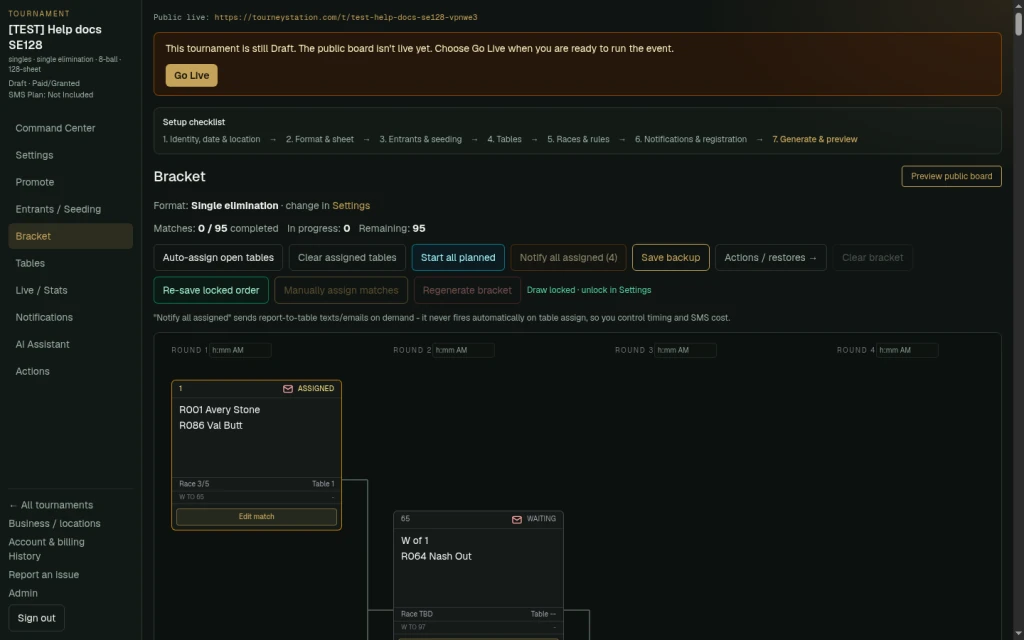
Large fields: single elimination and Modified SE support 96 and 128-player sheets. Use bracket zoom controls to move around big sheets.
What to check afterward
The generated draw uses the chosen format and sheet. Review byes and routes before starting play.
Lock bracket draw blocks Generate and Clear. Changing format or sheet does not rebuild an existing draw; regenerate with OVERRIDE only when appropriate.