
← All guides
Plans, billing and invoices
Review account plan details and open the Stripe portal for payment method, invoices, or cancellation.
Before you begin
A signed-in director account.
- 1
Open Account & billing
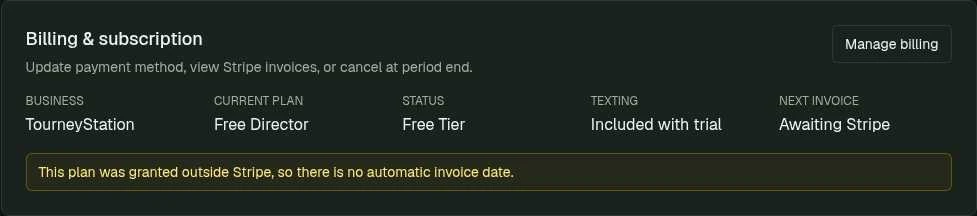
Account & billing shows the Billing & subscription panel with Current plan, Status, Texting, and Next invoice.
Account & billing shows your plan and status. Manage billing opens the Stripe billing portal. - 2
Manage billing
Select Manage billing to open the Stripe billing portal for payment method, invoices, or cancellation.
- 3
Recognize granted plans
Plans granted outside Stripe may not have a next invoice date. See Pricing for plan comparisons.
What to check afterward
You can review billing status and use the provider portal where it is available.